Happy customers are the best brand ambassadors for businesses. Customer communications play a key role in shaping their experience. A major part of customer communications happens through letters.
Thus the letters must be
Accurate and free of errors
Highly Personalized
Must conform to regulatory compliance, if any
Automating letter generation empowers business users to create thousands of personalized letters in a few minutes.
Let’s explore a few use cases for business letters creation.
Business Letters - Use Cases
Almost all businesses create vendor communications and customer communications letters. For some businesses such as insurance and lending, letters are the core of the business processes.
Financial institutions: Collections play an important role in the cash flow. They use letters for sending reminders, information, and notices.
Healthcare providers: Create collection letters and medicare supplement letters.
Marketers: auto-include personalized up-sell and cross-sell offers in the letters.
Problems with Current Letter generator software
The truth is there are no enterprise-grade letter generation systems available. In most cases, organizations use module extensions of core systems for letter creation.
Often, they are developed for IT users. Thus even for a small template change, business users need IT intervention.
They are often slow, and don't scale to produce a large number of letters fast enough.
They don’t offer a modern API for integration with other applications. Hence on-demand real-time letter generation is not the forte of these letter generators.
They offer only limited delivery channels for the generated letters
EDocGen Letter Generation System
It's a DIY system built for business users. They can generate and distribute thousands of letters in one go. The System supports hyper-personalized business letter generation of scale and complexity.
EDocGen offers a central repository of approved templates with fine-grained access control. This ensures employees use
Only the latest letter templates.
Approved digital components including paragraphs, logos, and sub-templates are used for personalized letter generation.
Some of the unique features include
It offers one of the best performance metrics in the industry. Generates thousands of Word and PDF letters in a few minutes
Conditional statements, sub-templates, and multi-lingual support for region-specific letter generation. You can use a single master template to produce different variants.
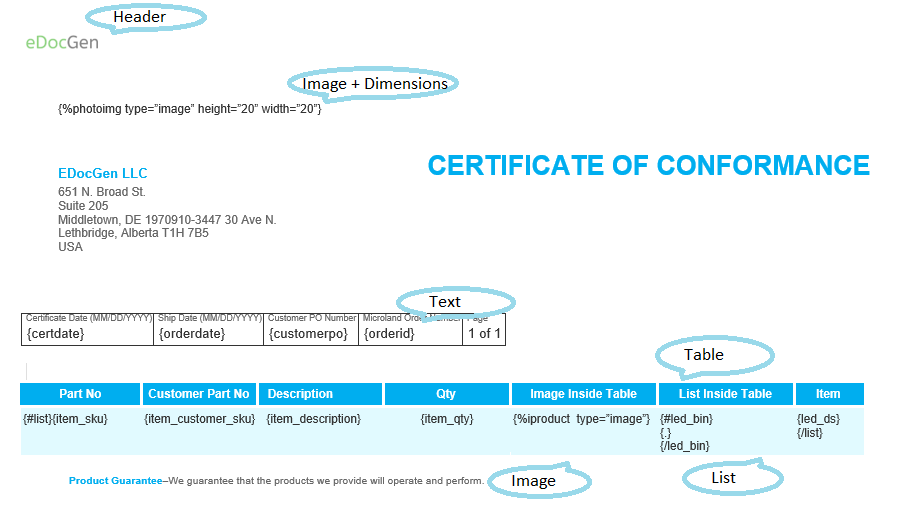
Supports dynamic population of text, tables, images, hyperlinks, lists, barcodes, QR codes
Integrate with almost any system through REST API,Zapier, and Tray.io integrations. Thus you can use it as an enterprise-wide letter-generation platform.
Populate data from databases, applications, XML, Excel, and JSON data to create letters. You can also use the auto-generated fillable form from your template for interactive letter creation.
The system supports the distribution of generated letters from your business email. If your data file has email IDs, the system auto-sends generated documents to individual customers as an attachment. In addition, you can print, and sync them to cloud storage or DMS.
It offers near-unlimited options when it comes to simplifying the generation and handling of your letters. Whether you're looking to prepare letters for printing, store them on the cloud, or deliver them digitally - we've got you covered with our best-in-class business letter generation software. Sign up today or request a demo for your company to see what it can do for your business!
The below video details how to go about offer letter generation using a template, and an Excel data file.