
Use the EDocGen managed package to generate documents from Apex for a single Salesforce record or many, without writing login, multipart, or download callouts yourself[cite: 8]. The package authenticates via Named Credential and handles generation end to end[cite: 8].
edocgen)[cite: 8].
edocgen__EDocGen_Templates__c) linked to your document template on
app.edocgen.com[cite: 8].
The public entry point is
edocgen.EdocGenDocumentGeneration.generateDocuments[cite: 8].
Pass a DocumentGenerationWrapper with the template, record Ids, and optional email fields[cite: 8].
The same method supports one record or many[cite: 8].
| Parameter | Type | Description |
|---|---|---|
eDocGenTemplateId or template Name |
Id / String | Template record Id, or template Name (resolved by query)[cite: 8]. |
recordIds |
List<Id> |
One Id for single generation, or many for bulk[cite: 8]. |
fromAddressOrgWideAddressId |
Id | Org-Wide Email Address Id for the From address. Pass null to use template defaults[cite: 8]. |
toAddressAPIName |
String | Field API name (or path) used for the To address. Blank uses the template’s To field[cite: 8]. |
ccAddresses / bccAddresses |
String | Optional CC / BCC field API names (or values per your template setup)[cite: 8]. |
generateDocuments creates a Document Generation Request and publishes a platform event[cite: 8].
Generation runs asynchronously[cite: 8]. Use a success callback Apex class if you need to run logic after files are uploaded[cite: 8].
Pass a list with one record Id[cite: 8]. Example using template Id[cite: 8]:
// Namespace: edocgen
Id templateId = 'a0BXXXXXXXXXXXX'; // EDocGen_Templates__c Id
Id recordId = '001XXXXXXXXXXXX';   // e.g. Account or Order Id

edocgen.EdocGenDocumentGeneration.DocumentGenerationWrapper wrapper =
    new edocgen.EdocGenDocumentGeneration.DocumentGenerationWrapper(
        templateId,
        new List<Id>{ recordId },
        null,              // Org-Wide Email Address Id (optional)
        'BillingCity',     // To address field API name (example)
        'Account.Name',    // CC (example)
        'ShippingCity'     // BCC (example)
    );

edocgen.EdocGenDocumentGeneration.generateDocuments(wrapper);
Or resolve the template by Name[cite: 8]:
edocgen.EdocGenDocumentGeneration.DocumentGenerationWrapper wrapper =
    new edocgen.EdocGenDocumentGeneration.DocumentGenerationWrapper(
        'Invoice Template',           // template Name
        new List<Id>{ recordId },
        null,
        'Email',                      // To field API name
        null,
        null
    );

edocgen.EdocGenDocumentGeneration.generateDocuments(wrapper);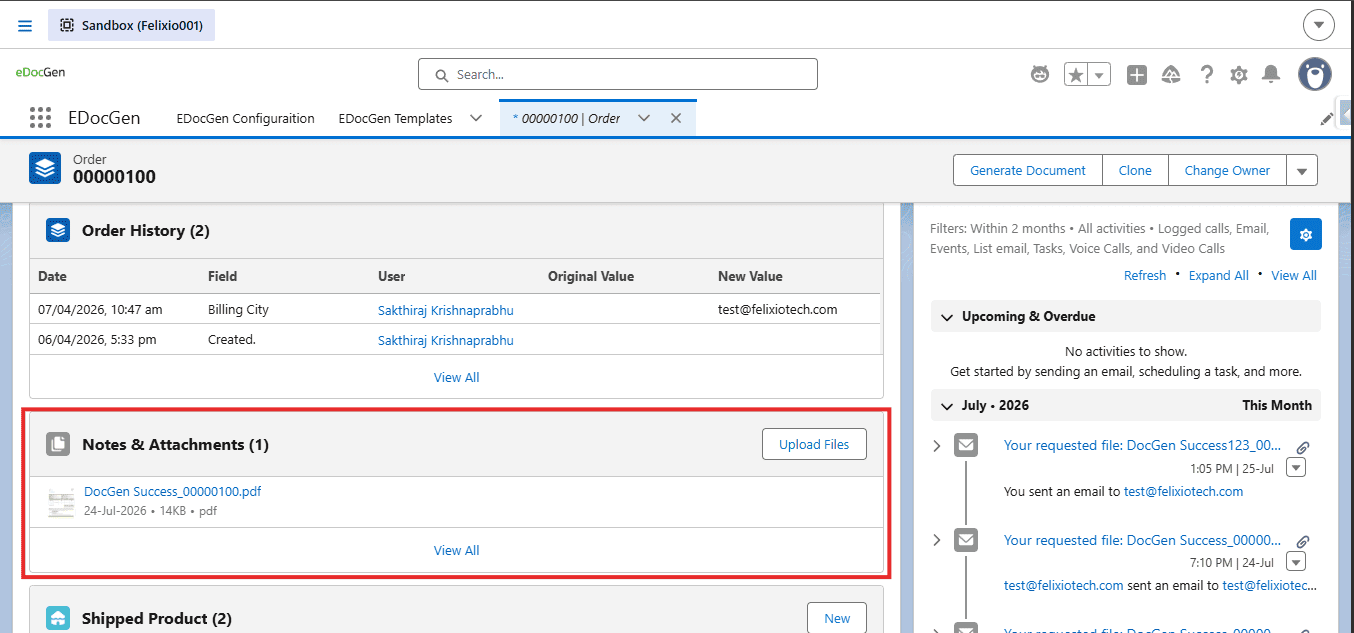
Pass multiple record Ids in the same wrapper[cite: 8]. EDocGen processes each record with the selected template[cite: 8]. This is the Apex equivalent of the list-view Generate Documents button[cite: 8].
List<Id> orderIds = new List<Id>{
    '801XXXXXXXXXXXX',
    '801YYYYYYYYYYYY',
    '801ZZZZZZZZZZZZ'
};

edocgen.EdocGenDocumentGeneration.DocumentGenerationWrapper wrapper =
    new edocgen.EdocGenDocumentGeneration.DocumentGenerationWrapper(
        templateId,
        orderIds,
        null,
        'BillingCity',
        null,
        null
    );

edocgen.EdocGenDocumentGeneration.generateDocuments(wrapper);/flow/edocgen/EDocGen[cite: 8]. See the
Salesforce Document Generation Guide and
Post-Install Guide[cite: 8].
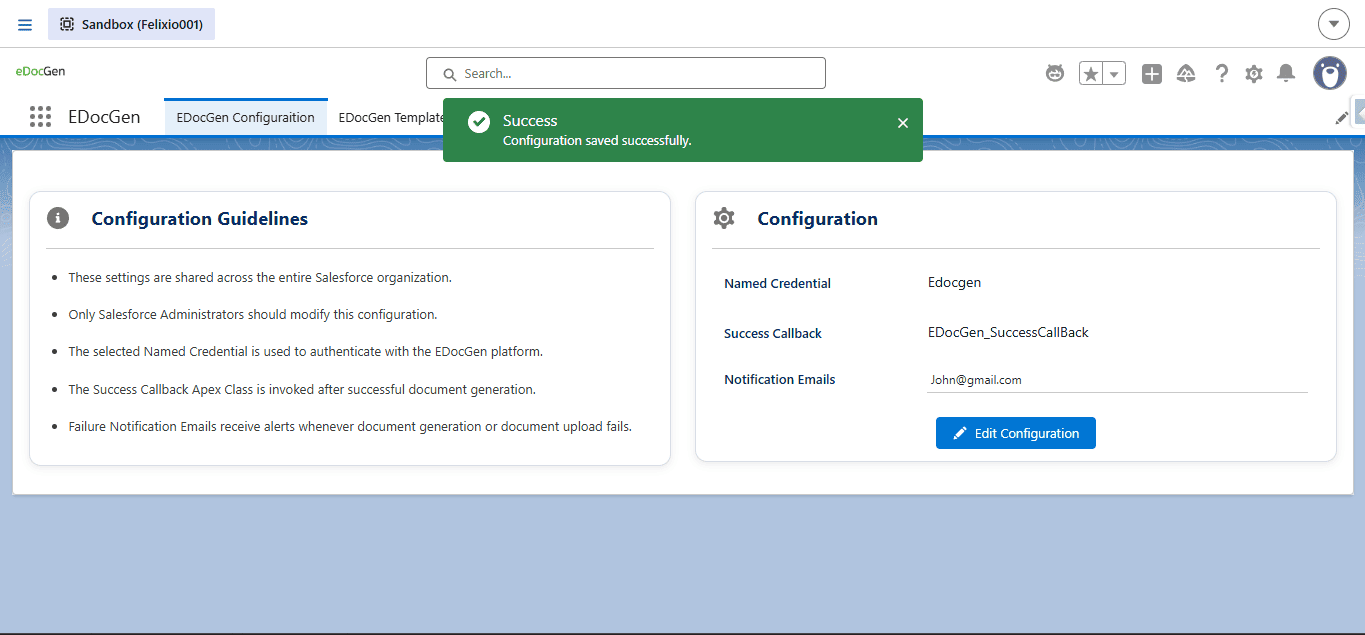
After a document is successfully generated and uploaded, EDocGen can invoke your Apex class[cite: 8]. Configure the class name on the EDocGen Configuration page[cite: 8].
global[cite: 8].edocgen.ConnectorToOrg.ConnectorInterface[cite: 8].global void handleDocumentGenerateSuccess(Map<String, String> generateSuccessMap)[cite: 8].global class EDocGen_SuccessCallBack
implements edocgen.ConnectorToOrg.ConnectorInterface {
global void handleDocumentGenerateSuccess(Map<String, String> generateSuccessMap) {
System.debug('EDocGen success: ' + generateSuccessMap);
// Add custom logic: update records, notify users, start next automation, etc.
}
}generateSuccessMap| Key | Description |
|---|---|
templateId |
Template Id used for generation[cite: 8]. |
objectAPIName |
API name of the Salesforce object (for example, Account)[cite: 8]. |
recordIds |
Comma-separated list of record Ids that succeeded[cite: 8]. |
recordIdWithContentVersionIdMap |
JSON string mapping each Record Id to ContentVersion Id of the generated file[cite: 8]. |
// Example shape of generateSuccessMap values:
// templateId = a0BXXXXXXXXXXXX
// objectAPIName = Account
// recordIds = 001XXXXXXXXXXXX,001YYYYYYYYYYYY
// recordIdWithContentVersionIdMap =
// {"001XXXXXXXXXXXX":"068AAAAAAAAAAAA","001YYYYYYYYYYYY":"068BBBBBBBBBBBB"}On the EDocGen Configuration page, set one or more failure notification emails (comma-separated)[cite: 8]. If generation or upload fails, EDocGen notifies those addresses so admins can investigate[cite: 8].
Example
admin@company.com,support@company.com[cite: 8]
Yes. Install the EDocGen AppExchange package (namespace edocgen), then complete the Named Credential and EDocGen Configuration steps in the Post-Install Guide. The package authenticates through the Named Credential and handles generation end to end, so you don't need to write login, multipart, or download callouts yourself. You also need at least one EDocGen template record in Salesforce linked to your document template on app.edocgen.com.
Yes. The generateDocuments method accepts a list of record Ids, so the same call works for one record or many. Pass a single Id for one document or several Ids for bulk generation. Generation runs asynchronously: each call creates a Document Generation Request and publishes a platform event. If you need logic to run after files are uploaded, use a success callback Apex class.
EDocGen generates PDF, DOCX, and PPTX files from Salesforce Apex. The output format is defined by the document template you link to your EDocGen template record in Salesforce, which is managed on app.edocgen.com. Your Apex code calls the same generateDocuments entry point regardless of format, so you can switch or add output types by changing the template rather than rewriting your integration.
Yes. The DocumentGenerationWrapper accepts optional email fields. fromAddressOrgWideAddressId sets the From address using an Org-Wide Email Address Id, and you can pass null to use the template defaults. toAddressAPIName names the field used for the To address, and leaving it blank uses the template's To field. ccAddresses and bccAddresses are optional CC and BCC field API names.