
Creating important documents like contracts, invoices, and compliance reports by hand takes a lot of time and can lead to mistakes and inconsistencies in branding. The right document templating software can automate this process, turning data from systems like Salesforce, databases, or simple spreadsheets into neat, professional documents quickly. This change saves a lot of time, reduces errors, and makes sure every document follows branding and legal rules.
This resource gives a detailed look at the top 10 document templating solutions available today. We go beyond just marketing to provide a useful guide for IT teams, operations managers, and compliance officers. You'll find a summary of each platform's main features, best uses, and possible downsides to help you make a good choice.
Our goal is to help you pick the best tool for your needs. Each review includes screenshots and covers everything from complex platforms like Conga and Templafy to easier options like PandaDoc and Formstack Documents. We'll look at solutions for specific systems as well as flexible tools that can fit into any workflow, ensuring you find the right match.
EDocGen stands out as a powerful and highly flexible document templating software engineered for enterprises that require robust, high-volume document automation. It excels at connecting with existing enterprise systems like CRMs and databases via REST APIs, allowing business users to generate complex, data-driven documents without needing extensive developer support. The platform’s strength lies in its ability to transform structured data from JSON, XML, or spreadsheets into a wide range of polished documents.
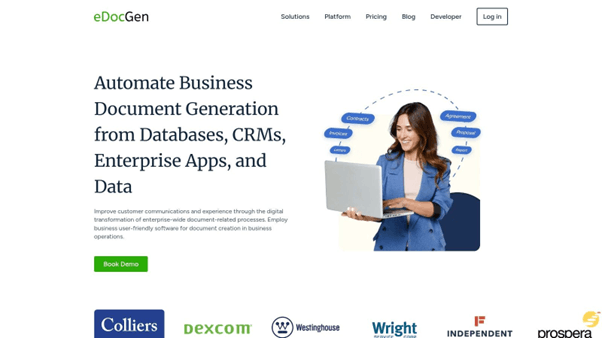
This makes it an ideal solution for industries like banking, insurance, and real estate, where generating thousands of personalized contracts, policies, or reports is a common requirement. EDocGen's support for bulk generation is a significant differentiator, capable of producing massive document batches in minutes.
The platform's no-code template designer is a core advantage. It empowers teams in HR, finance, or legal to create and manage templates with sophisticated business rules, including conditional logic, loops, and dynamic calculations. This self-service capability ensures brand consistency and compliance while significantly reducing reliance on IT.
“EDocGen delivers over 90% productivity gains by automating document creation and distribution, empowering business users and driving rapid ROI.”
A key practical benefit is its multi-lingual support, which includes right-to-left (RTL) languages like Arabic, a crucial feature for global enterprises. Deployment flexibility is another major plus; it can be hosted on-premises for maximum control or on any major cloud provider (AWS, Azure, GCP), secured with AES-256 encryption.
Templafy positions itself as an enterprise-grade solution focused on solving brand and legal compliance at scale. Unlike tools built purely for document generation, Templafy excels at content governance, acting as a centralized hub for all company-approved templates, text snippets, and brand assets. This approach ensures that every employee, regardless of their location or department, creates documents that are consistently on-brand and legally sound.
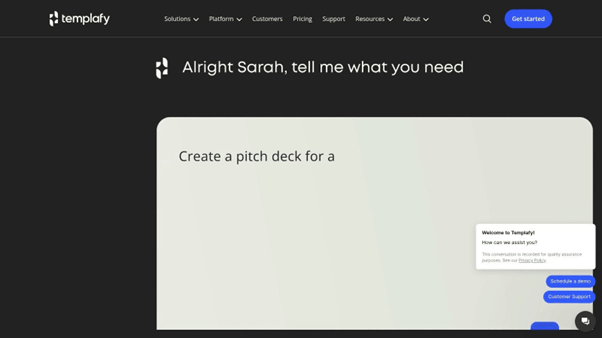
The platform’s strength lies in its dynamic content adaptation. It can automatically adjust templates based on user profiles, such as office location, legal entity, or language, ensuring the correct disclaimers, logos, and information are always included. For large financial institutions or life sciences firms, this feature is critical for navigating complex regulatory landscapes.
Templafy's primary selling point is its deep integration directly within Microsoft Office and Google Workspace. It appears as a task pane inside Word, PowerPoint, and Outlook, providing contextual access to approved content without disrupting user workflows. This makes it an ideal piece of document templating software for organizations heavily invested in these ecosystems.
PandaDoc is a comprehensive document automation solution tailored for sales and marketing teams, focusing on the entire lifecycle of revenue-generating documents like proposals, quotes, and contracts. It streamlines the process from creation to e-signature, making it a powerful tool for teams looking to accelerate their sales cycle. Its strength lies in its user-friendly, drag-and-drop editor and extensive template library.
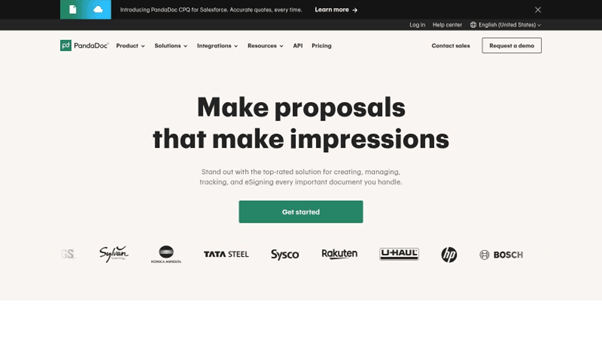
Unlike enterprise-focused governance tools, PandaDoc prioritizes speed and ease of use for client-facing teams. Features like real-time notifications on document views and integrated e-signatures provide sales professionals with valuable insights and help them close deals faster. The platform’s ability to pull data directly from CRMs like HubSpot and Salesforce into templates automates personalization at scale.
PandaDoc operates as a standalone web application but shines with its deep integrations into popular CRM and payment systems. This makes it a go-to piece of document templating software for businesses wanting to connect their sales documents directly to their core sales and marketing stacks. The setup is straightforward, allowing teams to get up and running quickly.
Formstack Documents, formerly WebMerge, focuses on automating the creation of customized documents by merging data from various sources into pre-made templates. Its strength lies in its versatility, allowing users to build dynamic PDFs, Word documents, PowerPoint presentations, and Excel spreadsheets using a user-friendly drag-and-drop builder. This makes it a powerful tool for businesses looking to automate routine paperwork like contracts, invoices, or proposals without deep technical expertise.
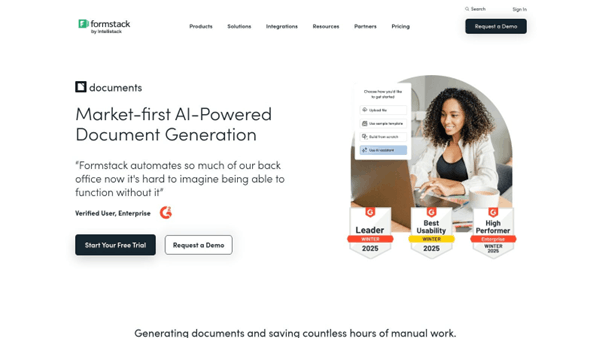
The platform stands out by connecting data collection directly to document output. When paired with Formstack's other products, like Forms and Sign, it creates an end-to-end workflow from data entry to a signed, delivered document. Its HIPAA-compliant options and robust data encryption also make it a secure choice for healthcare and financial services industries that handle sensitive information.
Implementation is straightforward, with a focus on connecting to data sources you already use. Formstack Documents offers powerful native integrations with platforms like Salesforce and an extensive library of connections through Zapier. This makes it an excellent piece of document templating software for businesses wanting to trigger document creation from CRM updates, form submissions, or other business application events. A common use case is generating a personalized welcome packet the moment a new client is added to a CRM.
Docmosis targets a different user base, positioning itself as a powerful, developer-first document generation engine. Instead of a user-facing interface for business teams, it provides a robust REST API for integrating high-volume, complex document creation directly into custom applications. Its core strength is its flexibility; developers can build templates using familiar tools like Microsoft Word or LibreOffice and then use code to dynamically populate them with data.
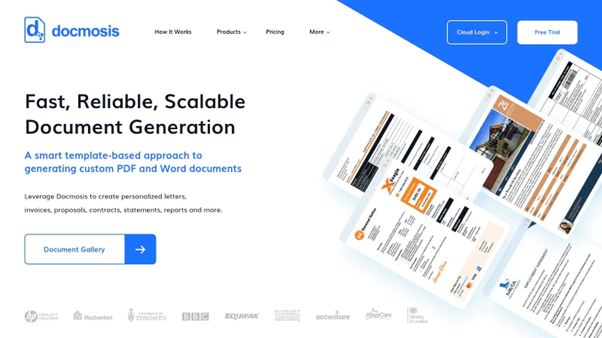
The platform supports a wide array of programming languages, including Java, Python, and C#, making it highly adaptable to existing tech stacks. This is ideal for scenarios requiring intricate logic, such as looping over repeating data for line items in an invoice or generating multi-page, data-rich financial reports. It’s a true engine-based piece of document templating software .
Docmosis is implemented via its API and can be hosted in the cloud or on-premise for greater data control. Developers embed API calls within their software to trigger document generation, passing data in JSON or XML format. This makes it a perfect fit for embedding document capabilities into CRM systems, financial platforms, or internal business process management tools.
Conga Document Generation (formerly Conga Composer) is a powerhouse tool built specifically for the Salesforce ecosystem. Its core purpose is to automate the creation of polished, data-rich documents directly from Salesforce records. By pulling customer, product, or case data seamlessly into pre-designed templates, Conga eliminates manual data entry, reduces errors, and dramatically accelerates sales cycles and service processes. This deep integration makes it a go-to choice for businesses whose operations live inside Salesforce.
The platform is designed to handle complex business document needs, from generating intricate quotes and proposals with multiple line items to creating detailed account plans or service reports. It supports a wide range of output formats, including Word, Excel, PowerPoint, and PDF, ensuring that the final document is fit for its intended purpose, whether it's an internal review or a client-facing contract.
Conga operates as a native Salesforce application, meaning users can generate documents with a single click from any standard or custom object, such as an Opportunity, Account, or Case. This makes it an essential piece of document templating software for sales, service, and operations teams who need to produce accurate documents without ever leaving their primary CRM environment. Implementation often requires a dedicated administrator or consultant, as setting up complex templates and logic can be intricate.
Adobe Document Cloud, powered by Acrobat Pro DC, is the undisputed industry standard for all PDF. While not a traditional templating engine in the same vein as others on this list, its capabilities for creating, securing, and distributing high-fidelity PDF templates are unparalleled. Its strength lies in producing static, polished documents where layout and design integrity are paramount, such as official forms, certificates, or branded marketing collateral.
The platform excels at creating interactive forms with fillable fields, dropdown menus, and legally binding e-signatures via Adobe Sign. This makes it an essential tool for departments handling contracts, onboarding paperwork, or any process requiring client input on a fixed document. Its advanced security features, including password protection and redaction, ensure that sensitive information remains secure throughout its lifecycle.
Acrobat Pro DC operates as a standalone desktop and mobile application, deeply integrated with Adobe's Creative Cloud and Microsoft Office. Users can convert virtually any file into a high-quality PDF, edit text and images directly within it, and prepare it as a reusable template. This makes it a core piece of document templating software for design-centric workflows and legally sensitive document management. While it is a powerful tool, those looking for automated data merging may need to explore an Adobe Document Generation API alternative .
While not a specialized automation tool, Google Docs is an accessible and powerful choice for basic document creation and templating, especially for teams already embedded in the Google Workspace ecosystem. Its primary strength lies in its simplicity and unparalleled real-time collaboration features. Users can create, share, and co-edit documents simultaneously, making it an excellent platform for drafting proposals, meeting notes, and project plans that require input from multiple stakeholders.
Google offers a gallery of pre-built templates for resumes, reports, and letters, which users can customize and save as their own templates within Google Drive. This provides a foundational level of standardization for small businesses or teams without the budget for enterprise-grade solutions. The cloud-native environment ensures every change is saved automatically, eliminating version control issues.
Google Docs is entirely web-based and requires no installation, making it instantly available to anyone with a Google account. It serves as a highly effective piece of document templating software for organizations that prioritize collaboration and ease of access over complex, data-driven automation. Its seamless integration with Sheets, Slides, and other Google apps creates a cohesive workflow.
DocuSign is well-known for leading the eSignature market, but it has also become a complete agreement management platform with strong template features. It helps standardize important documents like sales contracts, NDAs, and hiring forms. Users can create templates that can be reused, set up who needs to sign, and add spaces for signatures, initials, and dates, which speeds up the final steps of any agreement.
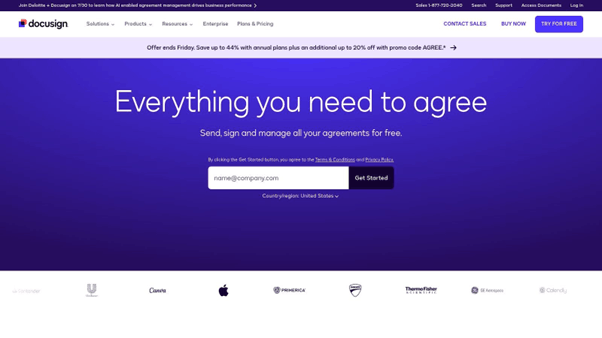
What makes DocuSign special is that it combines template creation with the signing process. Unlike other platforms that only focus on making documents, DocuSign ensures that its templates are designed for secure and legal signature tracking. This makes it a vital tool for legal, sales, and HR teams where quick document handling and legal accuracy are crucial.
DocuSign’s templating features are natively part of its core platform, accessible via its web interface and extensive APIs. It integrates seamlessly with hundreds of business systems, including Salesforce, Workday, and Microsoft, allowing data to be automatically pushed into templates. This positions it as a key piece of document templating software for businesses looking to automate their entire agreement lifecycle, from generation to signature and storage.
While best known as a powerful online form builder, Jotform has evolved into a versatile platform that blurs the line between data collection and document creation. Its strength lies in its ability to automatically convert form submissions into polished, professional PDF documents. This makes it an excellent choice for businesses that need to generate contracts, invoices, or reports based on information gathered directly from clients, customers, or internal teams.
Jotform’s unique proposition is its seamless workflow from data input to document output. You can design a form to capture specific information and simultaneously design a corresponding PDF template. When a user completes the form, the system automatically populates the data into the template, creating a ready-to-use document. This is ideal for generating certificates, consent forms, or work orders on the fly.
Jotform operates as a standalone, cloud-based solution that is incredibly easy to deploy. Users can create and share forms via a simple link, embed them on a website, or assign them to team members. The platform’s PDF Editor uses a drag-and-drop interface, making template customization accessible to non-technical users. This makes it a great piece of document templating software for small to medium-sized businesses needing a quick and simple solution.
|
Solution |
Core Features |
User Experience |
Value Proposition |
Target Audience |
Price Points / Notes |
|
EDocGen |
Multi-format output (Word, PPT, Excel, PDF, forms), API integration, bulk generation, no-code templates, multi-lingual, conditional logic |
Intuitive no-code interface, fast setup, robust security (AES-256) |
Streamlines high-volume document automation with brand governance and rapid ROI |
Enterprises in banking, insurance, real estate, HR |
Pricing on request; flexible deployment (cloud/on-premises) |
|
Templafy |
Centralized asset management, dynamic templates, MS Office & Google Workspace integration |
User-friendly with contextual suggestions |
Ensures brand consistency at scale |
Large organizations, multi-brand/region companies |
Not publicly disclosed; suited for large enterprises |
|
PandaDoc |
Drag-drop editor, 1000+ templates, CRM integration, e-signature |
Easy to use, real-time document tracking |
Simplifies sales & marketing document workflows |
Sales and marketing teams |
Transparent pricing; free trial; limited users on basic plan |
|
Formstack Documents |
Multiple template formats, e-signature, HIPAA compliant, automated delivery |
Easy setup, strong integrations |
Customizable document generation with data from forms |
Businesses needing HIPAA compliance & automation |
Higher pricing than some competitors |
|
Docmosis |
Developer-focused API, multi-language support, template creation in MS Word/LibreOffice |
Requires technical skills |
Flexible document generation for custom apps |
Developers and technical teams |
Pricing not detailed publicly |
|
Conga Document Generation |
Salesforce integration, e-sign, automated generation |
Integrates tightly with Salesforce |
Accelerates Salesforce-based document workflows |
Salesforce users and teams |
Pricing not publicly disclosed |
|
Adobe Document Cloud (Acrobat Pro DC) |
PDF editing, fillable forms, digital signatures, advanced security |
Industry standard, feature-rich |
Comprehensive PDF management and collaboration |
Professionals needing PDF-centric tools |
Subscription cost higher; learning curve |
|
Google Docs |
Real-time collaboration, cloud autosave, integration with Google Workspace |
Free, accessible anywhere, easy collaboration |
Basic document creation and teamwork |
Individuals and businesses needing simple docs |
Free with Google account |
|
DocuSign |
Customizable templates, secure electronic signatures, audit trails |
User-friendly, mobile access |
Streamlines contract signing |
Businesses requiring digital signatures |
Higher cost; some reported support issues |
|
Jotform |
Form/document templates, drag-drop builder, e-signature, integrations |
Flexible, easy to use |
Data collection plus document automation |
Businesses needing forms and document combos |
Free tier; paid plans for higher limits |
Navigating the landscape of document templating software can feel complex, given the diverse array of solutions available. The core takeaway is that there is no single "best" platform; the right choice is intrinsically linked to your organization's specific operational needs, existing tech stack, and long-term strategic goals.
For large enterprises, particularly those in regulated industries like finance, insurance, or life sciences, the decision often hinges on security, compliance, and integration capabilities. Solutions like Conga Document Generation for Salesforce-centric workflows or Templafy for enforcing brand consistency across a global workforce offer robust, scalable frameworks. Their value lies not just in template management but in creating a single source of truth for all corporate documents, mitigating risk and ensuring compliance.
Conversely, for business operations managers and teams focused on streamlining specific processes, tools like PandaDoc and Formstack Documents provide immense value. Their strengths are in automating proposals, contracts, and other customer-facing documents, often integrating seamlessly with CRMs and other business applications to eliminate manual data entry and accelerate sales cycles.
As you move toward making a selection, re-evaluate your priorities against these critical factors:
Ultimately, the goal is to transform a static, time-consuming process into a dynamic, automated workflow. By carefully assessing your unique requirements against the capabilities of the tools we've reviewed, you can implement a solution that not only saves time but also enhances accuracy, ensures compliance, and empowers your team to focus on higher-value work.
Ready to automate your most complex document generation challenges? EDocGen offers a powerful, API-first platform designed for creating dynamic, data-driven documents at scale. Explore how EDocGen can integrate with your existing systems and streamline your workflows. Learn more and get started with EDocGen today